Support Email : courses@iiems.in
  Kottayam, Ernakulam, Trivandrum, Tamil Nadu Support Email : courses@iiems.in Kottayam, Ernakulam, Trivandrum, Tamil Nadu
Step 1: Open Your Browser and Type elearning.heart.org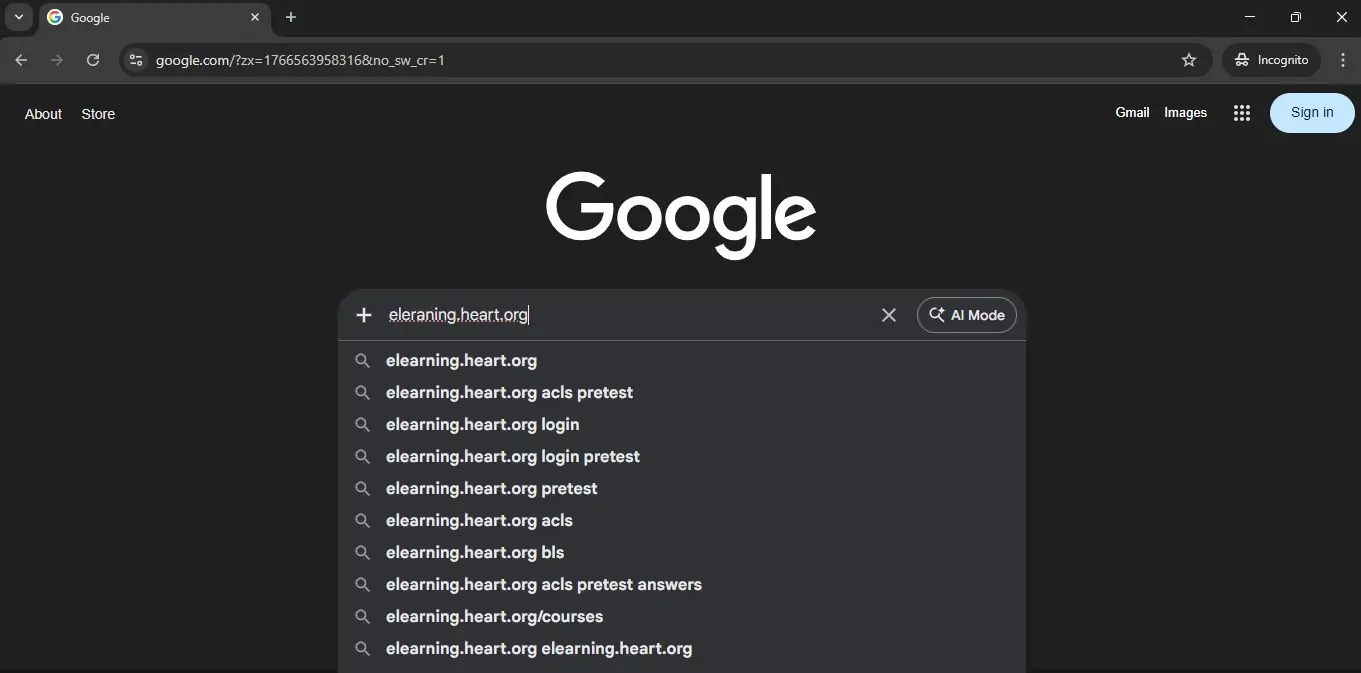
Step 2: Click the First Link
Click the link displayed in the below image.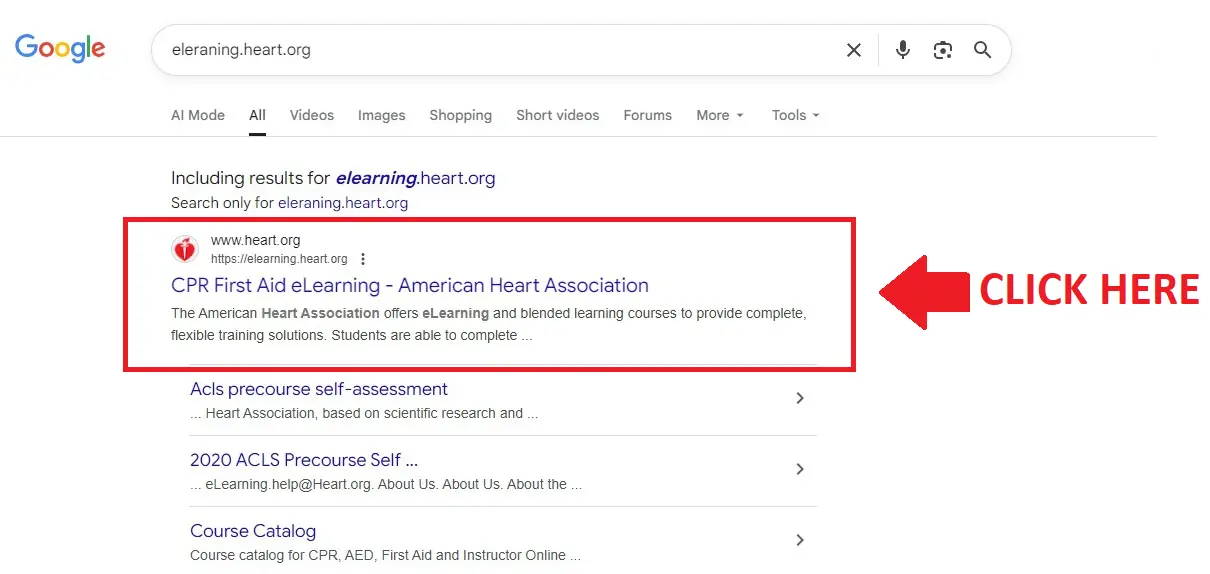
Step 3. After clicking the link
It will take you directly to the Welcome to the eLearning page.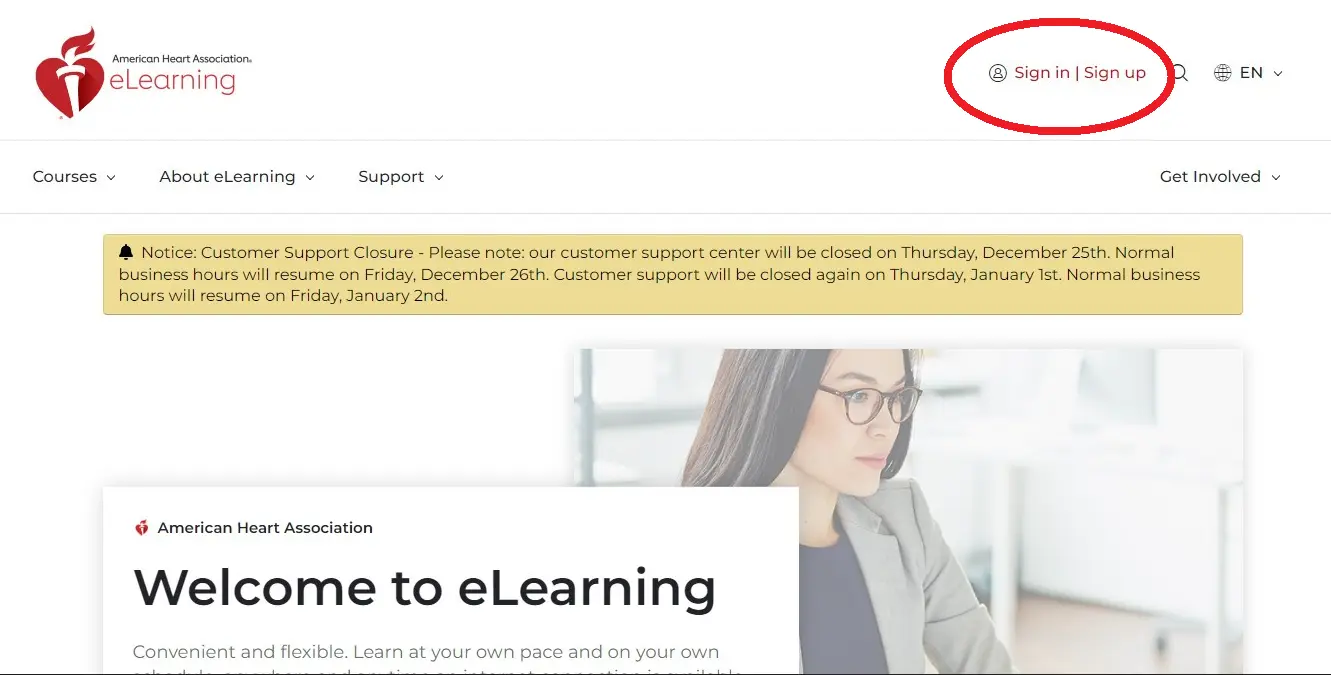
Step 4: Click the Sign in | Sign up Button
Click the Sign in | Sign up Button displayed in the above image.
It will take you directly to the AHA Registration page.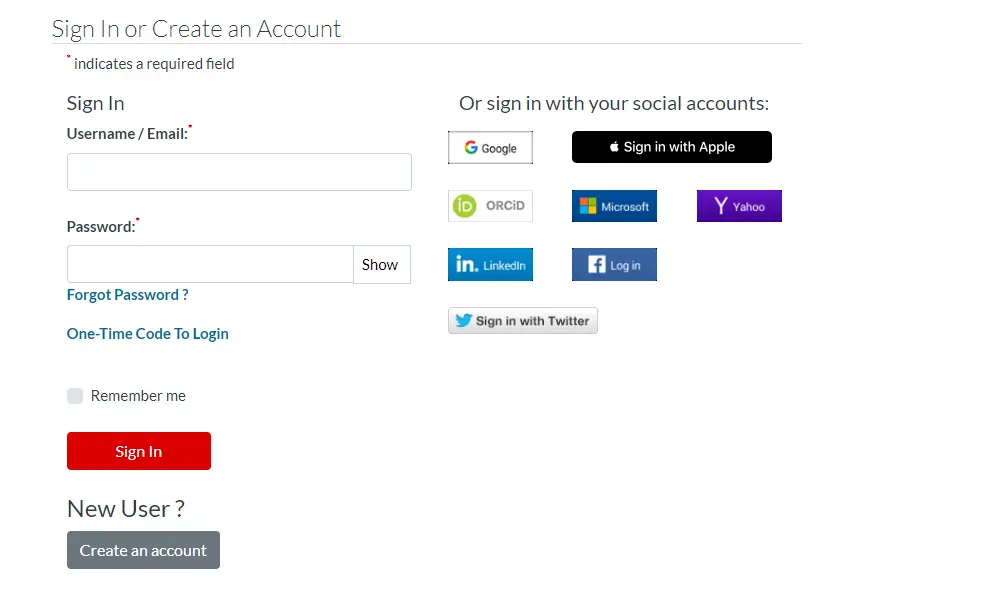
Step 5: Sign in using your username and password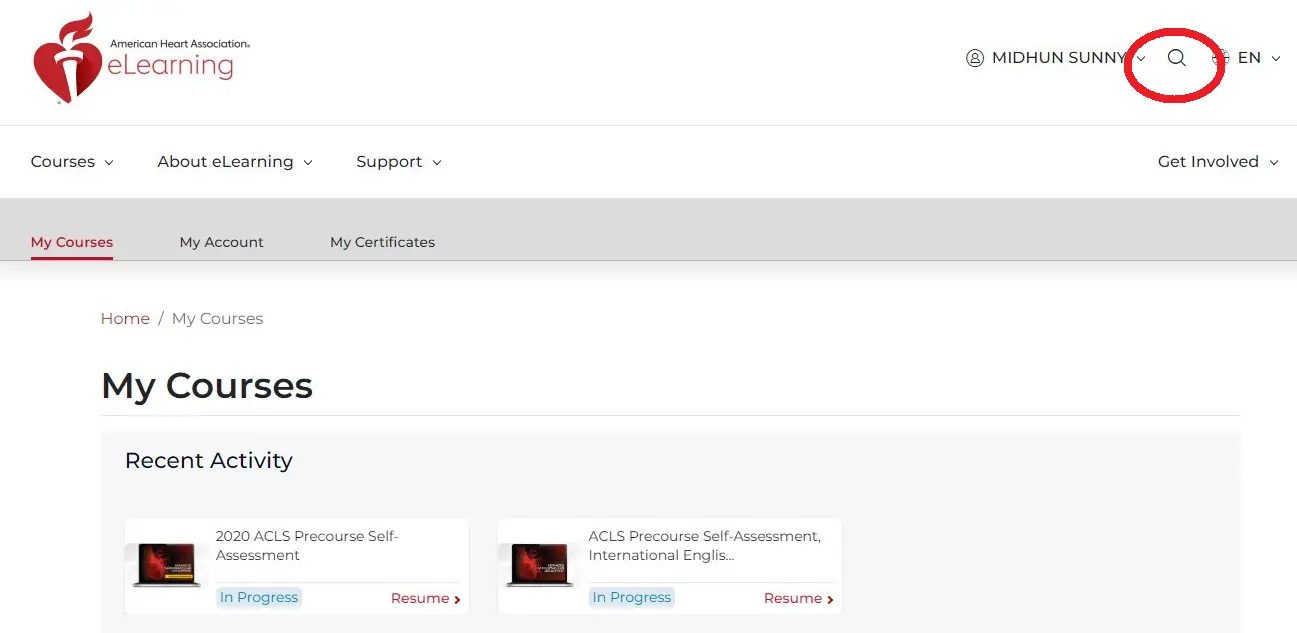
Step 6: Click the Search Button
Click the Search Icon displayed in the above image.
It will take you directly to the AHA Registration page.
Step 7: Type ACLS In the Search Bar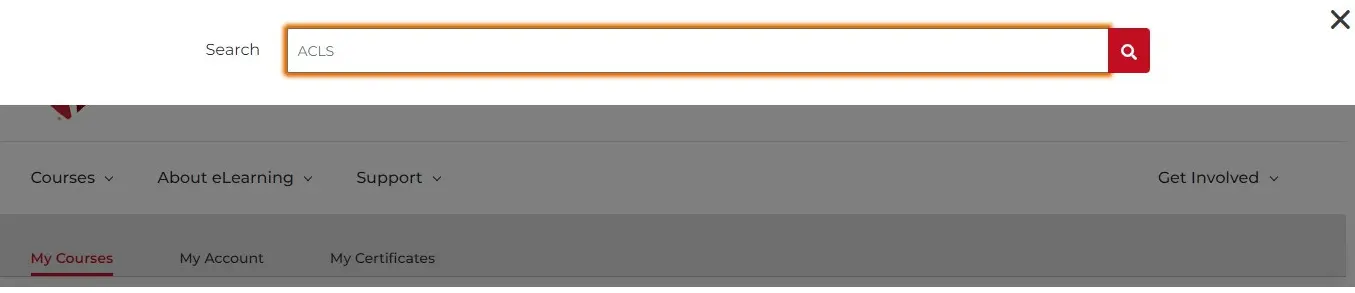
Step 8: Select the ACLS Precourse Self- Assessment and Video Prework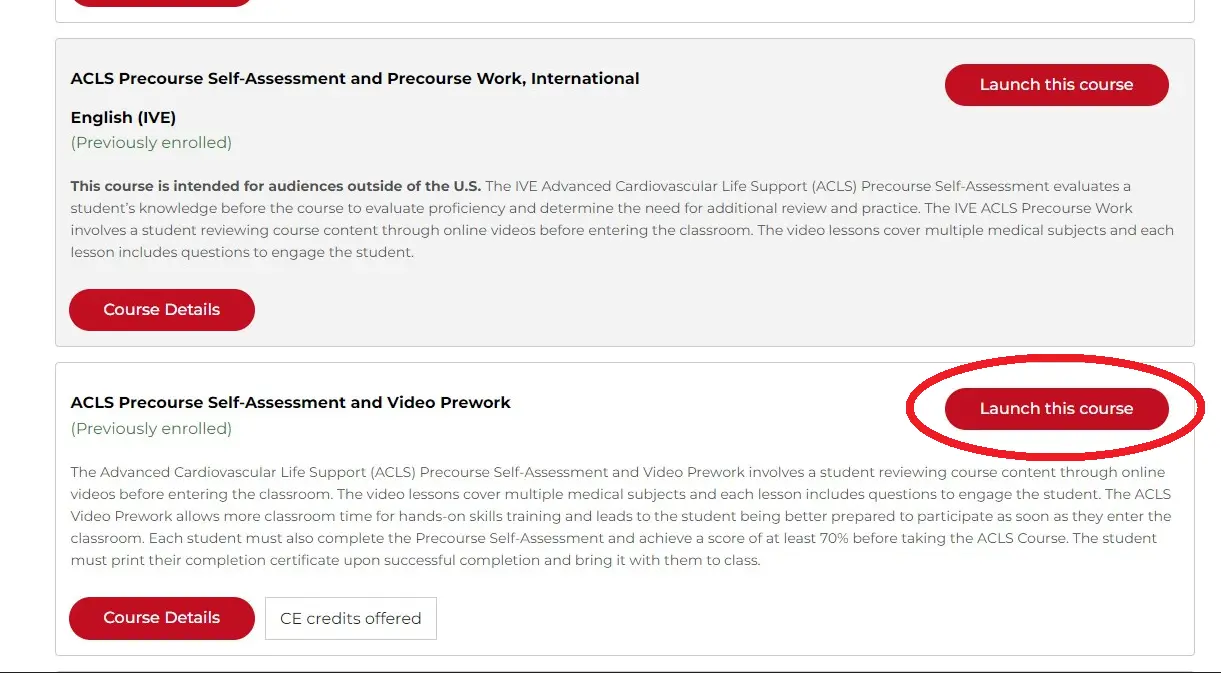
Step 9: Click the Launch this Course Button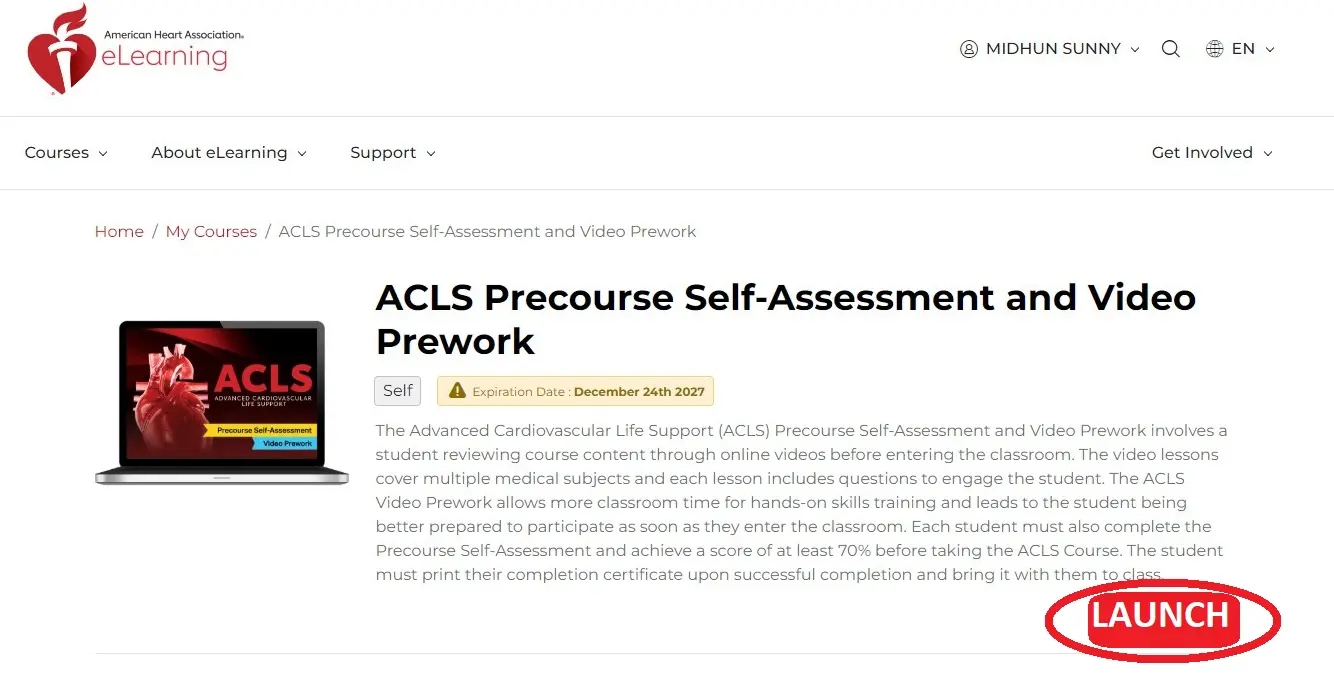
Step 10: Click Start Button to Proceed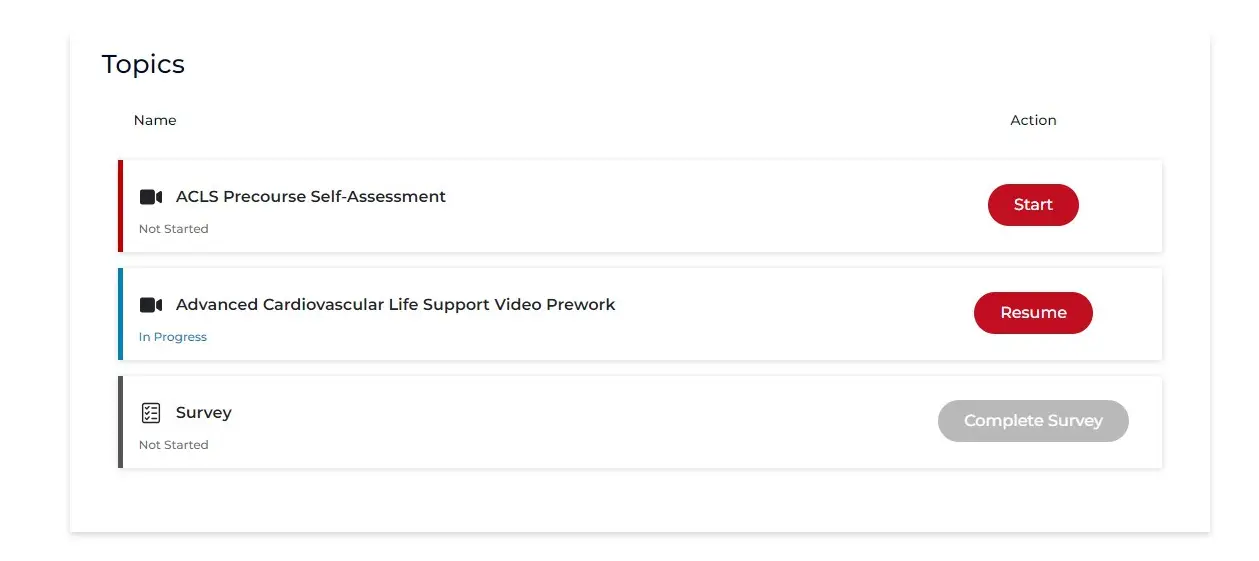
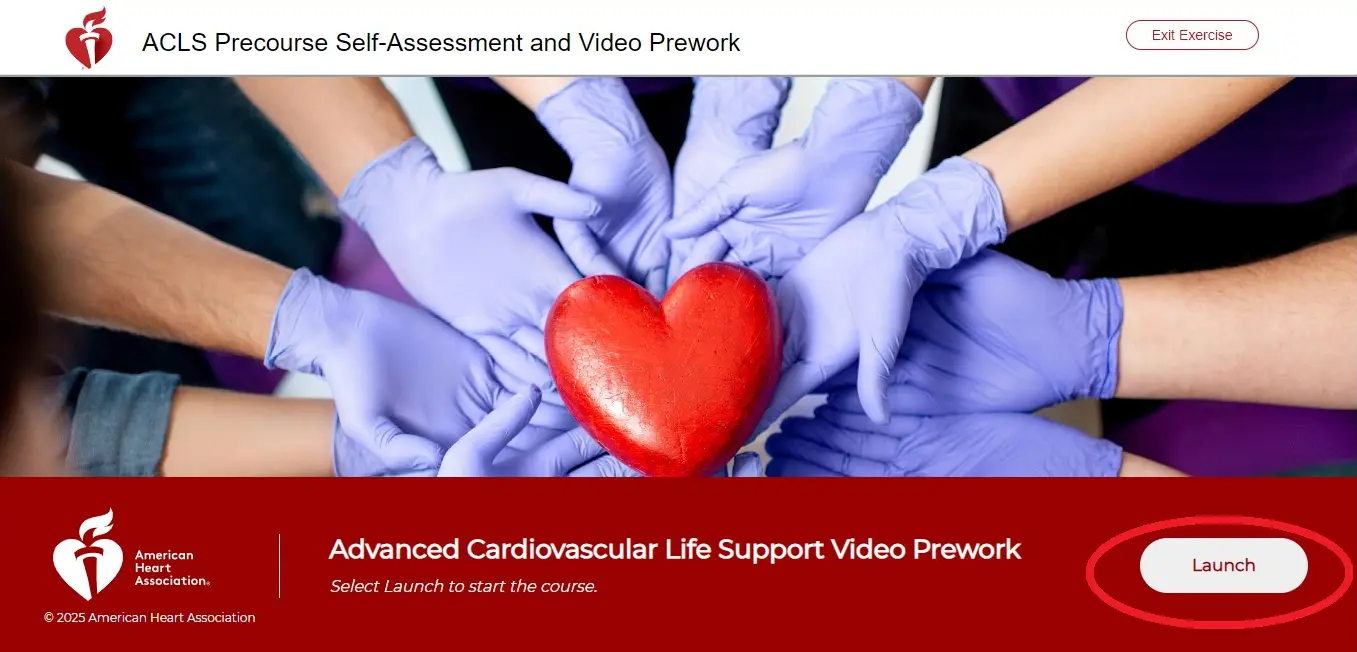
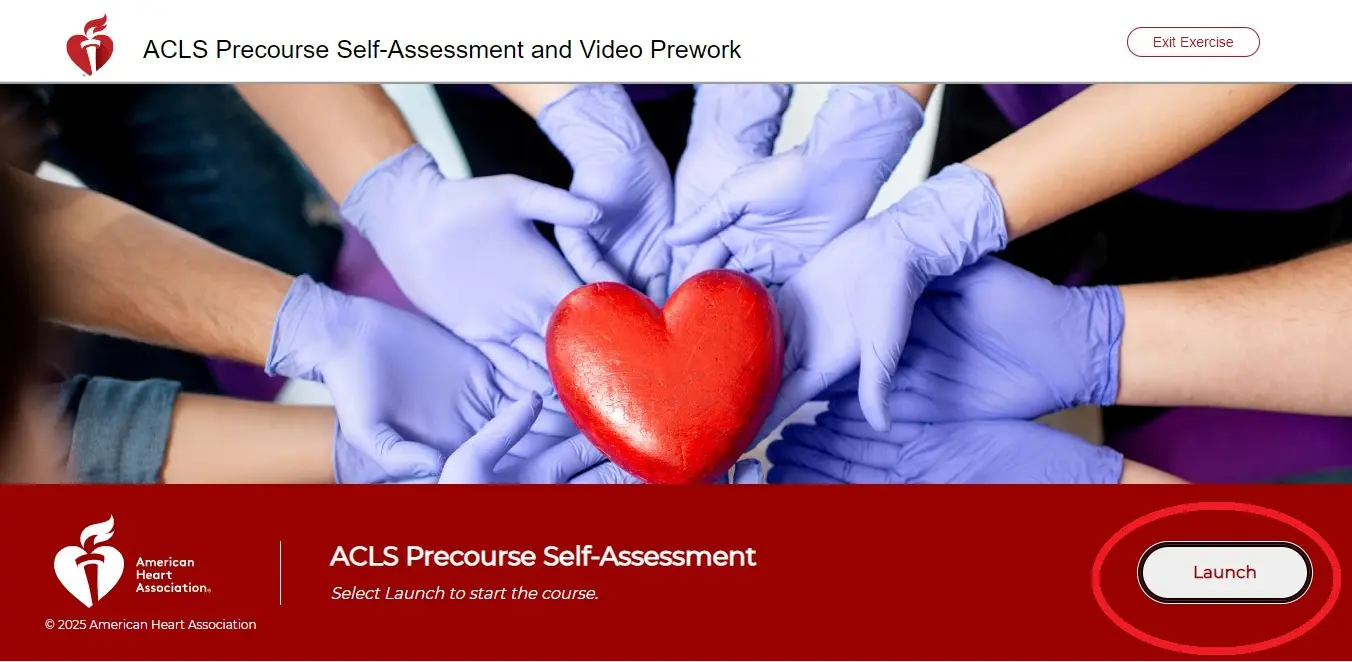
Step 11. After clicking the Launch Button
It will take you directly to the Prework page.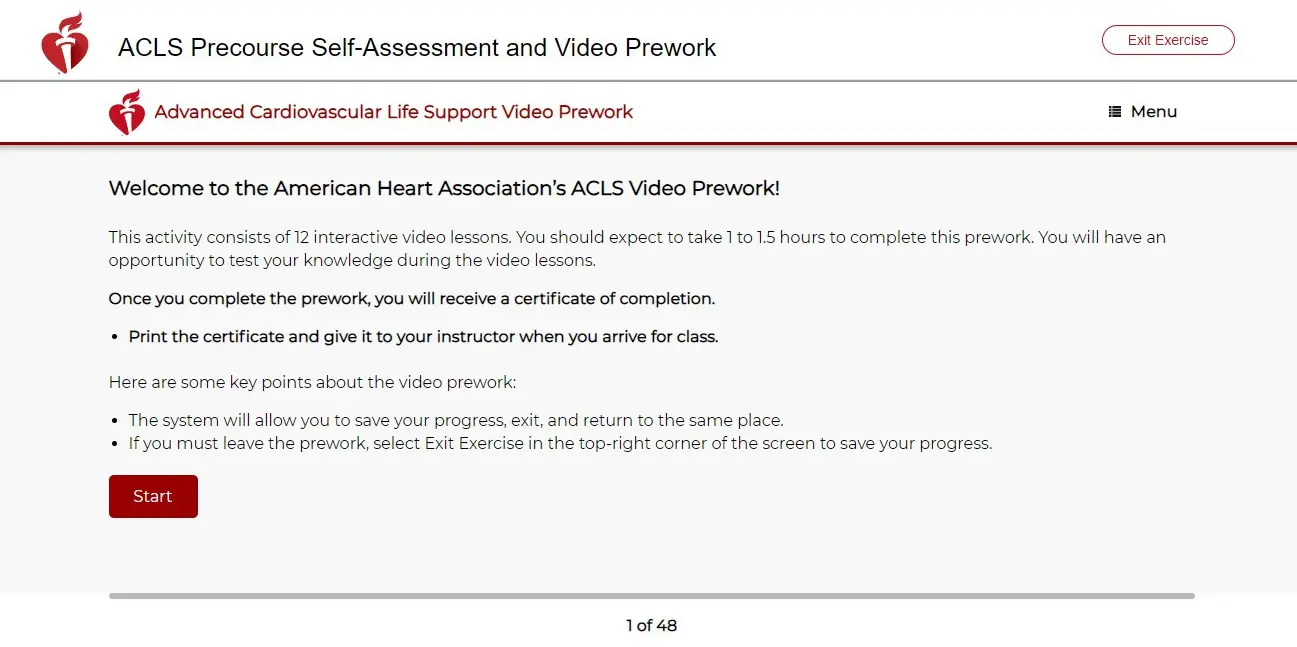
Step 12. Enter your Full Name In the pop up dialouge box
It will take you directly to the Self-Assessment page.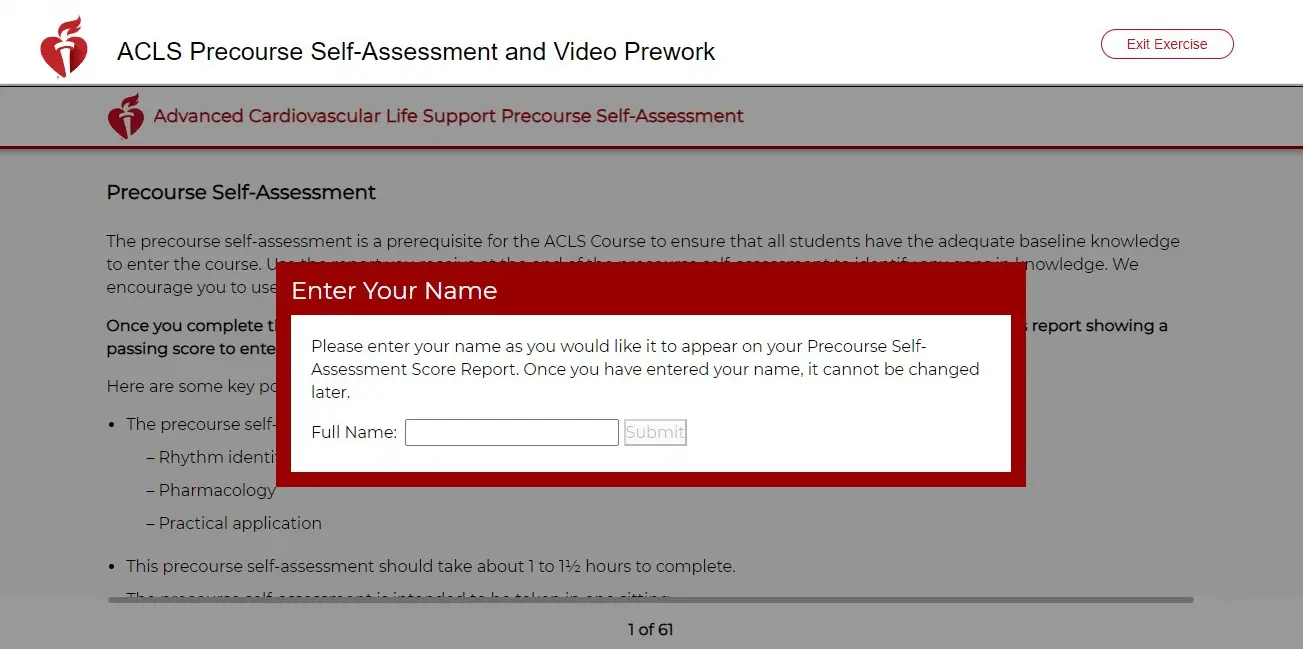
Step 13: Complete all the Course Module
Complete all online learning and assessments at your own pace.
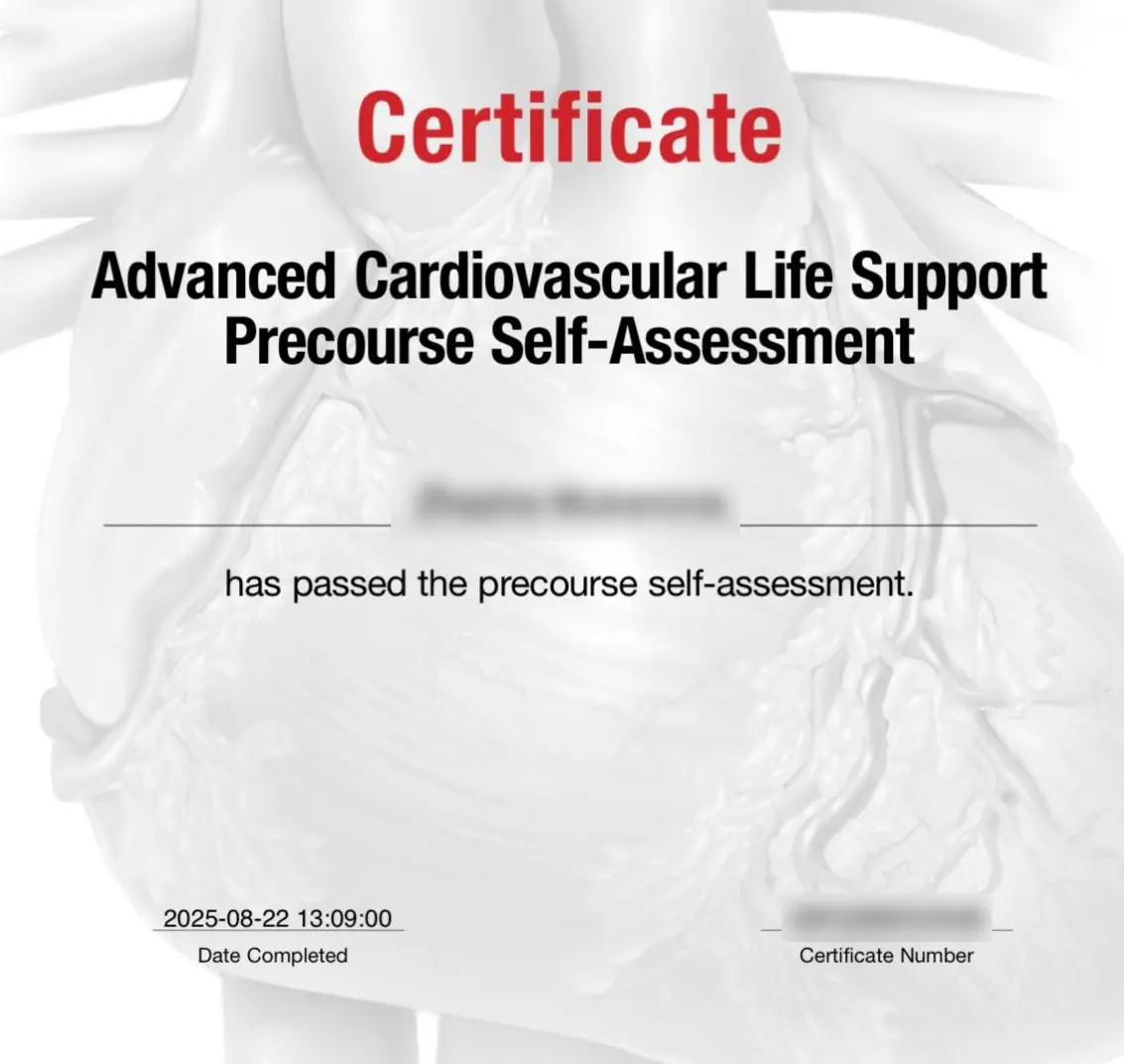
Step 14: Print your completion certificate
When you finish the online section and the course evaluation, you can print/download your “Advanced Cardiovascular Life Support
Precourse Preperation” completion certificate. You’ll need this to proceed to the hands-on skills session.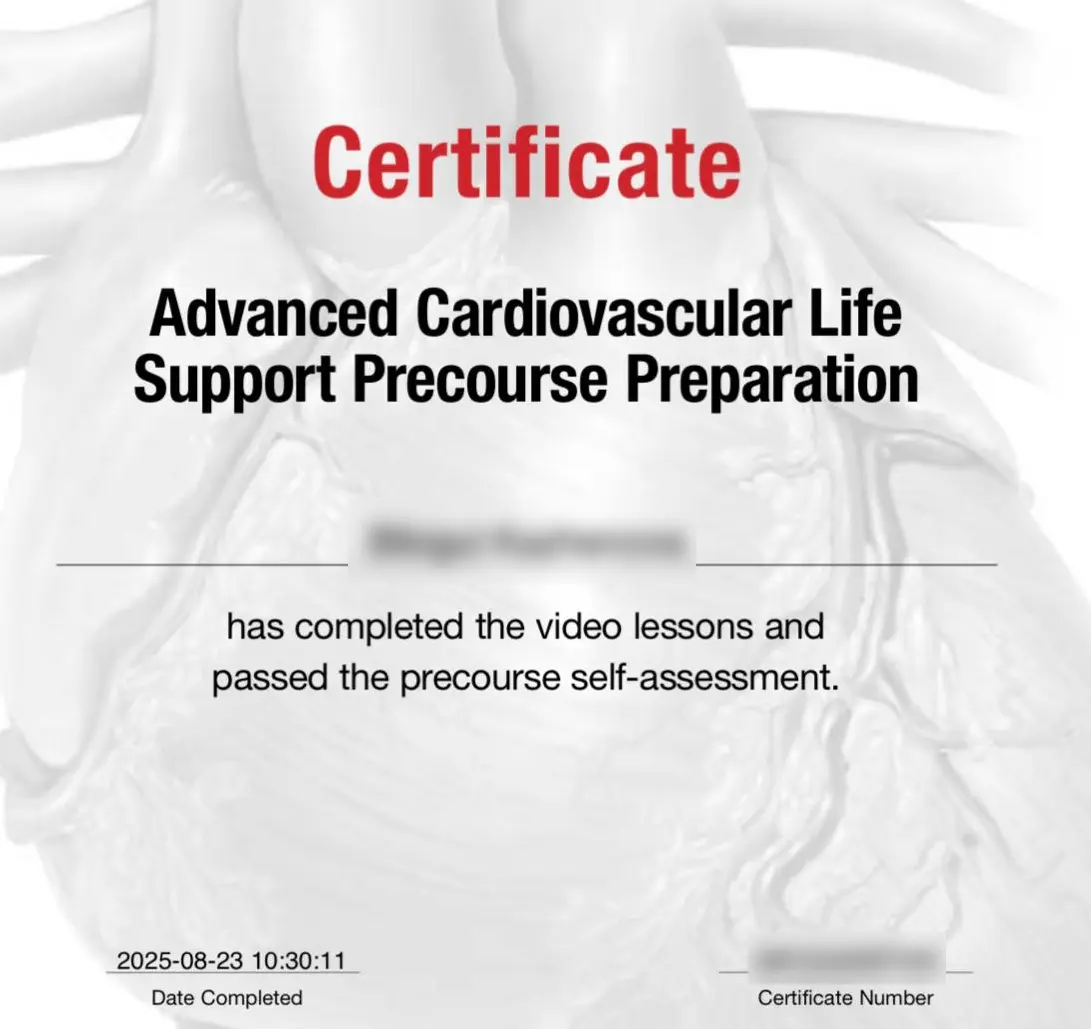
Step 15: Complete all the Course Module
Complete all online learning and assessments at your own pace.
Step 16: Print your completion certificate
When you finish the online section and the course evaluation, you can print/download your “Advanced Cardiovascular Life Support Precourse Self-Assessment ” completion certificate. You’ll need this to proceed to the hands-on skills session.